Send SMS
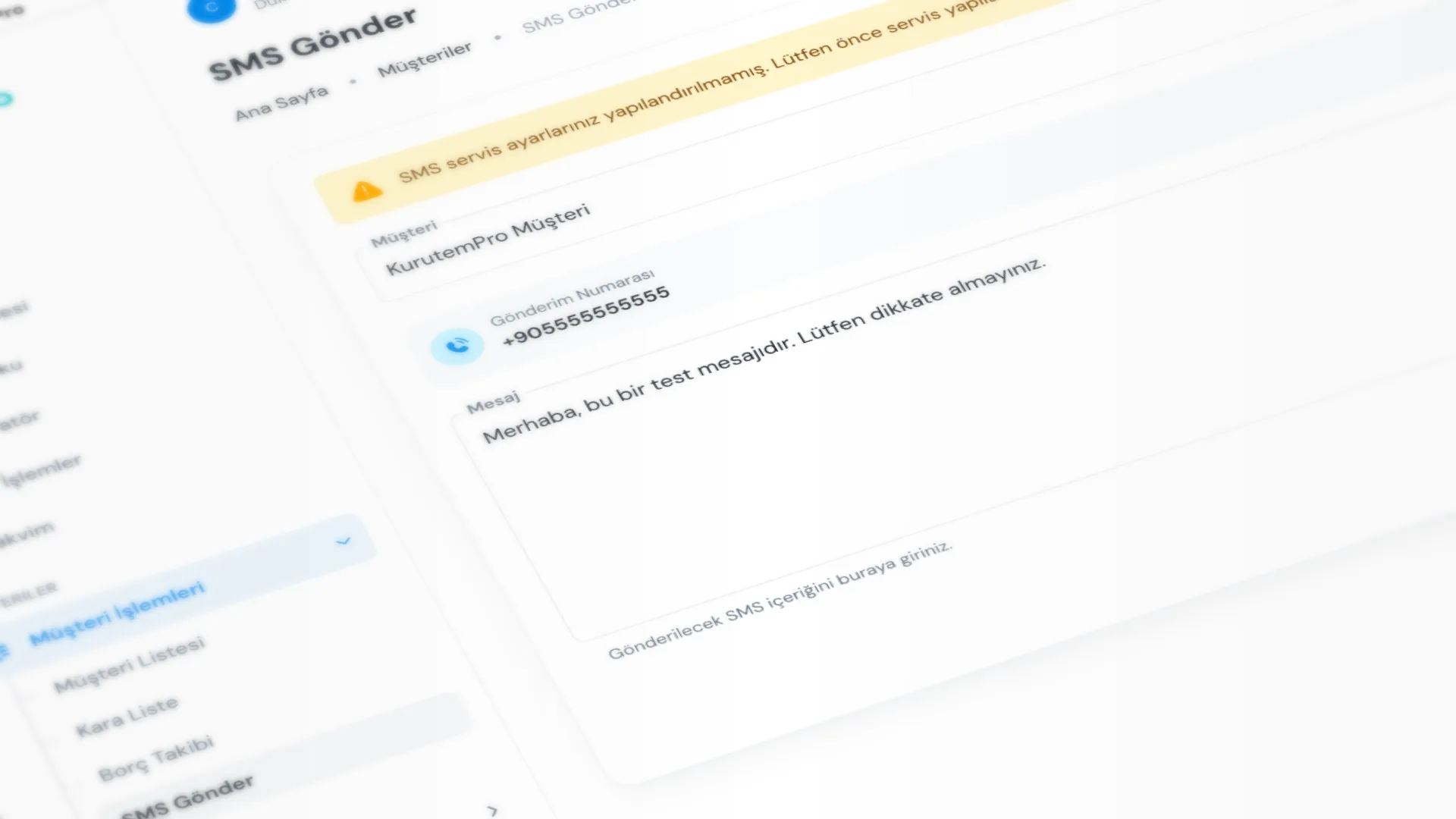
Use Send SMS to pick a customer from the list and send a free-text SMS. This is not the ready-receipt notification; use it for reminders, notices, or one-off messages.
Menu path: Customers → Send SMS.
Step by step: send an SMS
1. Set up the SMS service
Sending requires an SMS provider to be configured and selected under Settings → Message Settings. If it is not set up, you see a warning and a link to Message Settings.
For templates, WhatsApp, and ready notifications, see SMS & WhatsApp Notifications.
2. Select the customer
On the Send SMS page, search by name or phone in Customer and select one person. Sender Number shows that customer’s phone.
3. Write and send the message
Enter the text in Message. Optionally check Remaining SMS, then click Send Message.
Successful and failed sends appear on the customer card under Sent SMS.
Good to know
- This screen does not check SMS / WhatsApp notification consent; you are responsible for the send. For commercial or promotional messages, act only with the customer’s clear consent and in line with applicable law (for example privacy and electronic communications rules).
- Sending needs the Send SMS permission; provider setup needs SMS settings.
- You cannot reliably message a customer with an empty phone number; complete the number on the customer card first. See Customers & Ledger.
Tips
- Do not message customers who have not consented or who do not want messages; when unsure, check the consent field used in the ready-notification flow.
- Prefer short, clear text over long campaign copy; SMS length affects your quota.
- Before sending, confirm the selected customer name and phone.
- Check Remaining SMS before you send, and check it now and then as the balance runs down.
- For automatic / template alerts when a receipt is ready, use the ready-notification flow; this page is for free text.
Try KurutemPro for free
Download the desktop app and start with receipts, customer tracking, and reporting right away.