SMS & WhatsApp Notifications
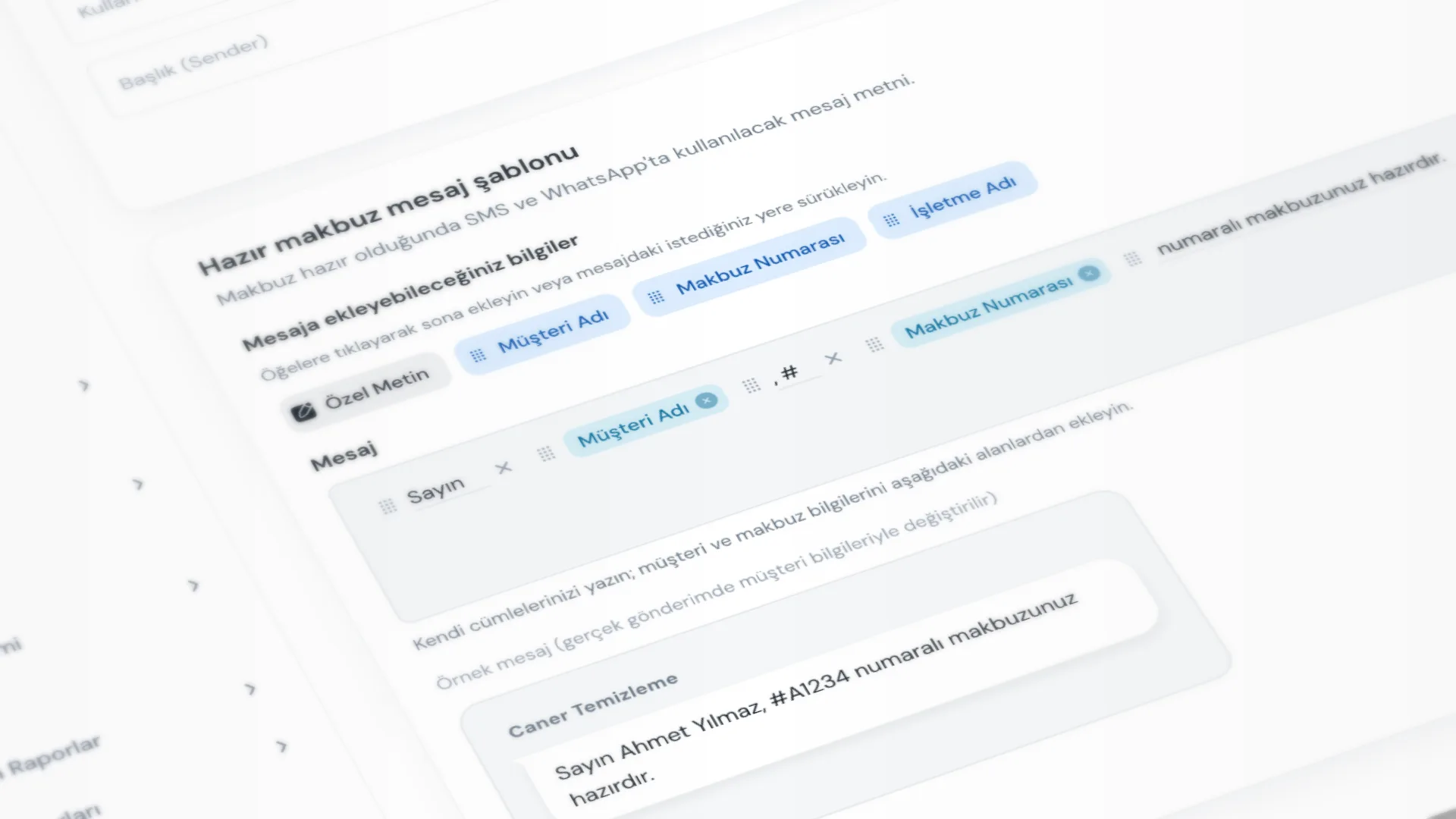
When a receipt is Ready, you can optionally notify the customer. Use an SMS provider or WhatsApp (without spending SMS quota) with the same template. Less phone traffic, more predictable pickups.
Menu path: Settings → Message Settings.
Step by step: ready notification
1. Configure message settings
Message Settings has three blocks:
- Ready receipt message template: write the text and click Save Template. Use the template buttons to add Customer Name, Receipt Number, or Business Name; they are replaced when the message is sent.
- WhatsApp messaging: turn Show WhatsApp option when receipt is ready on or off.
- SMS services: choose a provider and save its settings.
WhatsApp needs no extra setup; sending opens the WhatsApp app or WhatsApp Web, and you confirm.
2. Check customer consent
If SMS / WhatsApp notification consent is off on the customer card, the ready notification dialog does not appear. A phone number must also be set.
3. Mark the receipt ready
Set status to Ready from the receipt list, detail, or Quick Operations. When conditions are met, Send message to customer? opens:
- Customer, phone, and message preview
- Send SMS or Send via WhatsApp
SMS goes through your connected SMS service; WhatsApp opens the WhatsApp app or WhatsApp Web with the text prefilled. If you do not want to notify, just close the dialog; the receipt status is still set to Ready.
4. Manual SMS (separate flow)
For free-text to one customer, use Customers → Send SMS. That is separate from ready notifications; see Send SMS.
Good to know
- The same template is used for SMS and WhatsApp; write it once.
- Consent and phone gate the ready dialog. See Customers & Ledger.
- Receipt flow: Receipt & Intake → mark ready → notify → Barcode Delivery.
Tips
- Add Business Name to the template so the customer sees which shop the message is from.
- Keep the WhatsApp option on to send ready notifications without using SMS quota.
- Check SMS balance (Remaining SMS) before busy days.
- For customers who do not want notifications, turn off SMS / WhatsApp notification consent. You can still mark receipts ready; the message dialog will not open.
Try KurutemPro for free
Download the desktop app and start with receipts, customer tracking, and reporting right away.