Courier Mobile App
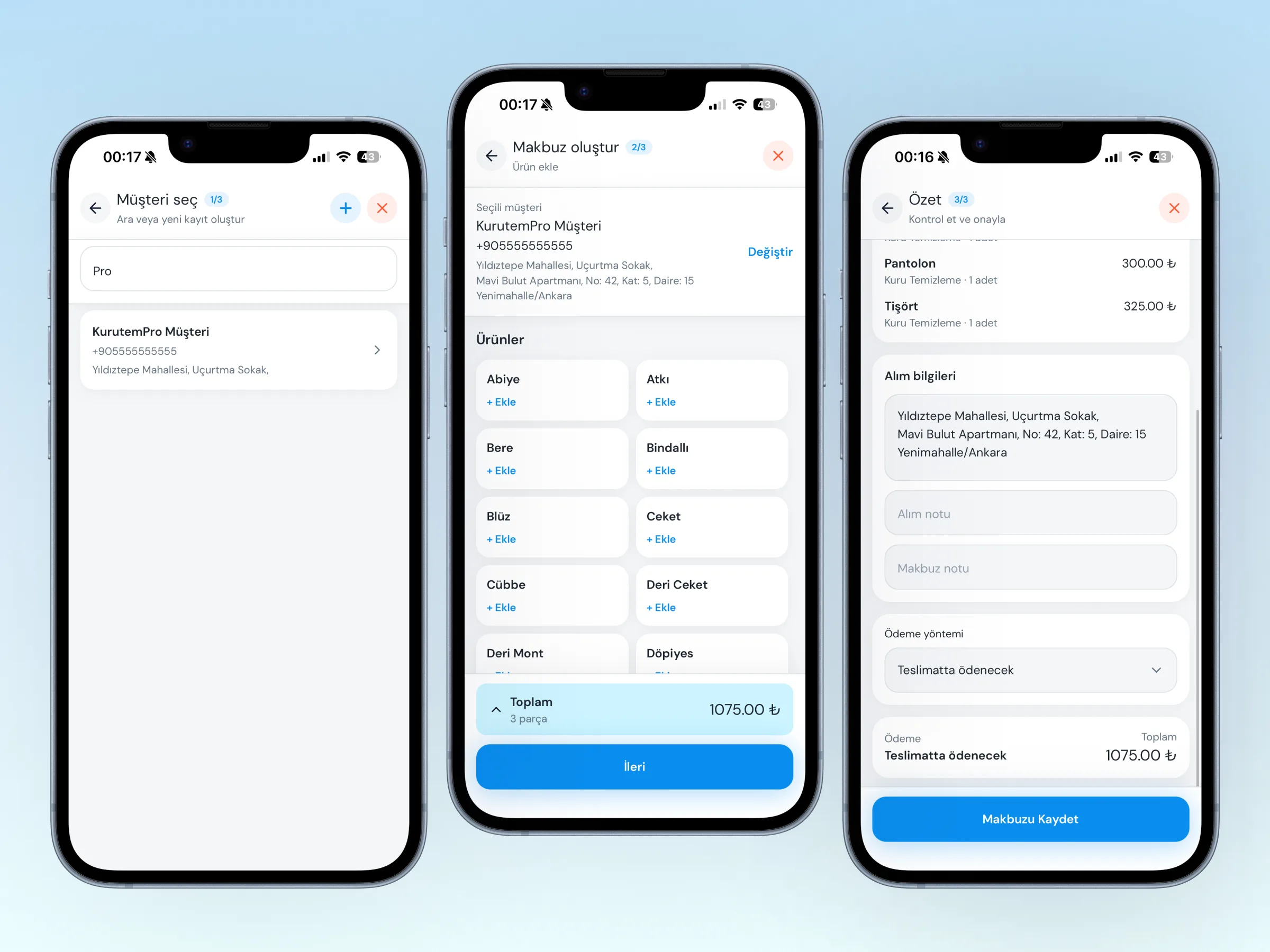
The Courier Mobile App lets you create receipts on the phone during home pickups. Those receipts sync to your shop and show on desktop with source Courier. There is no delivery / barcode flow in this app; it is for field product intake only.
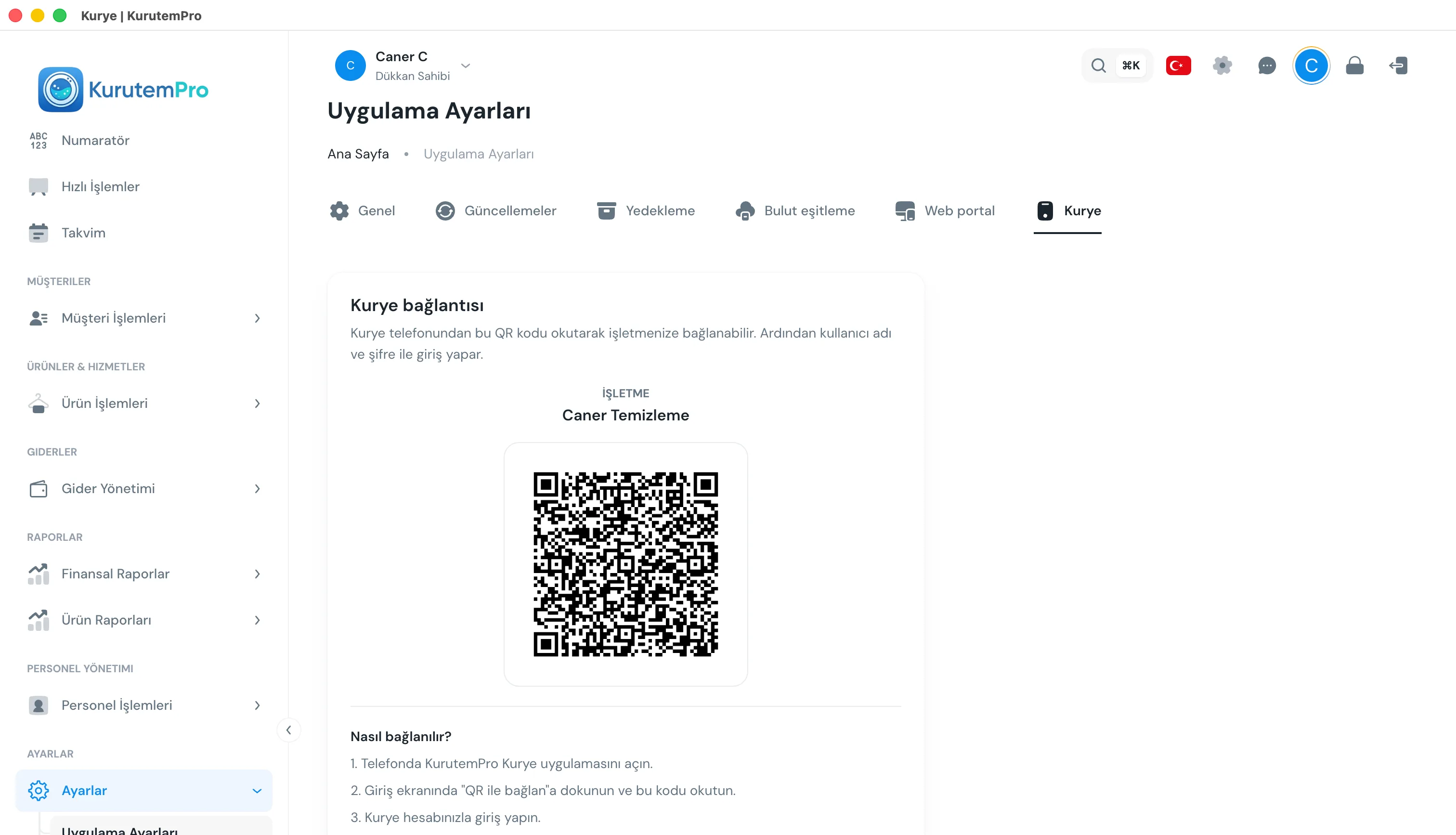
Menu path (desktop): Settings → App Settings → Courier.
Step by step: pairing and receipts
1. Enable cloud sync
To see the QR code, Cloud Sync must be on first. If it is off, you see Enable cloud sync first to generate a QR code.
2. Show the QR on desktop
Open Settings → App Settings → Courier to see Courier pairing. The business name and QR code appear here. Pairing is done from the desktop app only.
3. Pair and sign in on the phone
- Open the KurutemPro Courier app on the phone (iOS or Android).
- On the sign-in screen, tap Connect with QR and scan the code on the desktop.
- Sign in with your desktop staff Username and Password. Receipt create permission is required.
Camera permission is required for the QR scan.
4. Create a receipt in the field
In the app, select or add a customer, add products / services, enter pickup details and payment, then save the receipt. Records go to the shop; order numbers may use the MBL- prefix.
Receipts created offline can be queued and sent when a connection returns. On desktop, filter Receipt List by courier-sourced records.
Good to know
- The courier mobile app is for home pickup; for counter delivery use Barcode Delivery or the desktop app.
- The web portal is for viewing; the courier mobile app creates receipts in the field. See Web Portal.
- Pairing settings appear only on desktop.
- You sign in with the same staff account; permissions follow your desktop role.
Tips
- Have the QR ready before you leave; open desktop while the courier waits on the phone.
- Grant camera permission at first setup; otherwise the QR cannot be scanned.
- If you cannot sign in, check that cloud sync is on and that the username / password are correct.
- On busy days, refresh the product catalog in the app so prices stay current.
Try KurutemPro for free
Download the desktop app and start with receipts, customer tracking, and reporting right away.